LKprototype
You check CNC Machining Tolerances to see if a part is made the right way. Many machines can make parts with a tolerance of ±0.02 mm. This is much thinner than a human hair. Some special machines can go as tight as ±0.0025 mm. The table below shows usual tolerances for different CNC processes:
CNC Process | Tolerance (inches) | Tolerance (mm) |
|---|---|---|
3-axis CNC Milling | ± 0.005 | 0.13 |
5-axis CNC Milling | ± 0.005 | 0.13 |
Lathe | ± 0.005 | 0.13 |
Many things can change how close your parts are to the design:
Material properties
Type of machining
Things like tool wear and how good the operator is
You need to know these things to pick the right tolerance for your project.
Key Takeaways
CNC machining tolerances show how much a part’s size can change from its plan. Picking the right tolerance makes sure parts fit and work well.
Smaller tolerances cost more and take longer to make. Only use them when you really need to save money and time.
Different materials can handle different tolerances. Metals can have smaller tolerances than plastics, so pick the right one.
Knowing about types of tolerances, like dimensional and geometric, helps you choose the best one for your project.
Talk clearly with manufacturers about tolerances. Use good drawings and GD&T symbols to stop mistakes and keep quality high.
What Are CNC Machining Tolerances?
Definition of Tolerances
A tolerance tells you how much a part’s size or shape can change. It shows how close the finished part should be to the design. For example, if you want a hole to be 10 mm wide, and the tolerance is ±0.1 mm, the hole can be as small as 9.9 mm or as big as 10.1 mm. Picking the right tolerance makes sure your part works the way you want.
Industry standards help people use tolerances the same way. Here are two common standards:
Standard | Description |
|---|---|
ISO 2768 | Gives general tolerances for sizes and angles. It has four groups: Fine, Medium, Coarse, Very Coarse. |
ASME Y14.5 | A full set of rules for geometric dimensioning and tolerancing. It explains symbols and ways to show tolerances on drawings. |
There are different types of tolerances in CNC machining:
Unilateral Tolerance: The size can change in one direction from the target.
Bilateral Tolerance: The size can change in both directions from the target.
Limit Tolerance: Shows the biggest and smallest size allowed.
Profile Tolerance: Controls the shape and where a surface is.
Orientation Tolerance: Makes sure features are lined up right.
Location Tolerance: Sets how far a feature can move from its spot.
Form Tolerance: Controls the shape of one feature.
Runout Tolerance: Checks how much a surface moves when spinning.
Unequally Disposed Tolerance: Lets you have more change on one side.
Dimensional vs Geometric Tolerances (GD&T Basics)
It is important to know the difference between dimensional and geometric tolerances. Dimensional tolerances control the size of a part, like how long or wide it is. Geometric tolerances control the shape and how parts fit together in 3D. This helps you get the right accuracy for your project.
Here is a simple table to show the difference:
Tolerance Type | Definition | Application |
|---|---|---|
Dimensional Tolerances | How much the size can change (length, width, diameter, etc.). | Used for parts that do not need to be very exact, making sure the size is right. |
Geometric Tolerances | Controls how features fit together in 3D (straightness, flatness, etc.). | Needed for parts that must work together, making sure they line up and work under stress. |
You use gd&t to show geometric tolerances on part drawings. This system uses symbols so everyone knows how the part should look and work.
Tip: Always check which tolerance type your part needs. This helps you avoid mistakes and saves money.
Why Tolerances Matter
Functional Requirements
You must pick the right tolerance so your parts work well. In places like aerospace and medical devices, small mistakes can be a big deal. If you do not control how close the size is, your product might break or not last long. Tight tolerances help you hit the important sizes, so parts fit and work every time. When you use strict tolerances, your products become more reliable and last longer.
Fit, Assembly, and Performance
Tolerances change how parts fit together. If you pick the wrong tolerance, parts may not fit or move right. Here are some ways tolerances matter:
Tolerances help parts fit for easy assembly and good use.
Tight tolerances cost more, but loose ones can make parts not fit or work.
The fit type, like clearance or interference, depends on the tolerance you use.
Use tighter tolerances for features that matter, like bearing seats.
For less important features, standard tolerances save money and still work well.
You also need to think about how you measure parts. If you cannot measure a feature well, you cannot check if it is right.
Cost and Manufacturing Trade-Offs
Picking the right tolerance helps you balance cost and quality. Tighter tolerances cost more because you need special tools and more time. The table below shows how costs change with different tolerances:
Tolerance Level | Cost Increase Factor |
|---|---|
Standard ±0.005" | Baseline cost |
Precision ±0.002" | 1.5-2x cost increase |
Tight ±0.001" | 3-4x cost increase |
Ultra-tight ±0.0001" | 10-24x cost increase |
If you ask for tighter tolerances than you need, you might pay up to 40% more for no real reason. Only use tight tolerances for features that really need them. This way, you save money and still get the accuracy you want.
Types of CNC Machining Tolerances
Standard Tolerances
Most projects use standard CNC tolerances. These tolerances say how much a part’s size can change. Shops use them when parts do not need very tight control. The table below lists common types you might see:
Tolerance Type | Description |
|---|---|
General Tolerances | Standard tolerances for straight or angled measurements, sorted into four groups by size. |
Limit Tolerances | The smallest and biggest sizes allowed, so parts fit right. |
Unilateral Tolerances | The size can only change in one direction from the main value. |
Bilateral Tolerances | The size can change both bigger and smaller from the main value. |
Geometric dimensioning and tolerancing, which adds rules for things like how flat or round a part is. |
You can see how these tolerances compare for different CNC processes in the chart below:
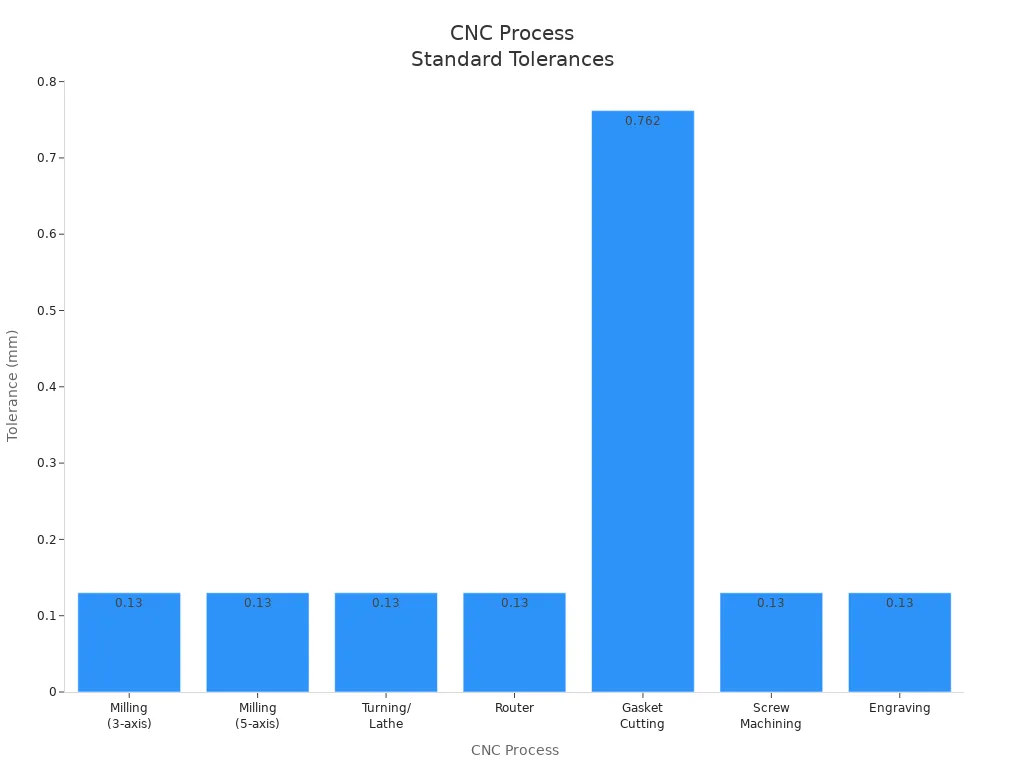
For example, most milling and turning can hold a tolerance of ±0.13 mm (±0.005”). Gasket cutting allows a bigger range, up to ±0.762 mm (±0.030”).
Tight / High-Precision Tolerances
Some parts need very tight control. You see these in aerospace, medical, or race car work. High-precision tolerances can be as small as ±0.005 mm. Only about 1% of parts need tolerances this strict. Most jobs use a range from ±0.005 mm to ±0.025 mm. You should only ask for these if your part really needs it.
Tolerance Range | Application |
|---|---|
+/- 0.005 mm to +/- 0.025 mm | General high-precision CNC machining |
±0.001" (0.025 mm) or better | Aerospace and high-performance car parts |
±0.0002" (0.00508 mm) to ±0.0005" (0.0127 mm) | Special parts like surgical tools and implants |
±0.013 mm (±0.0005") | Important aerospace parts for safety and performance |
Note: Tighter tolerances usually cost more and take longer to make.
GD&T Tolerance Types
Geometric dimensioning and tolerancing (GD&T) controls more than just size. It tells you how flat, straight, or round a part must be. This system uses symbols on your drawings to show these needs. Here are some common GD&T types:
Flatness
Flatness keeps a surface smooth and even. You use this when two surfaces need to touch or seal well.
Position
Position controls where a feature is on a part. It makes sure holes or slots line up with other parts.
Runout
Runout checks how much a surface moves when it spins. This is important for spinning parts like shafts or wheels.
Concentricity
Concentricity makes sure circles or cylinders have the same center. You need this for parts that must spin smoothly or fit inside each other.
Tip: Using GD&T can help you avoid mistakes and make your parts fit and work better.
Typical CNC Machining Tolerances and Accuracy
Standard Tolerance Ranges
CNC machining uses different tolerance ranges for metals and plastics. Metals like aluminum, steel, and brass can hold tighter tolerances than plastics. The table below shows some common ranges:
Material Type | Tolerance Type | Tolerance Range |
|---|---|---|
Metals | Typical | ±0.1 mm or ±0.005 inches |
Metals | Hole Positions | ±0.05 mm to ±0.1 mm |
Metals | Tight | ±0.025 mm or tighter |
Plastics | Typical | ±0.1–0.2 mm |
Plastics | Tight | ±0.05 mm |
Pick the right tolerance range for your project. This helps your parts stay high quality.
Metals (Aluminum, Steel, Brass)
Metals let you use tighter tolerances. Most metal parts use ±0.1 mm. For holes or important spots, you can use ±0.05 mm.
Plastics (ABS, PC, Nylon, POM)
Plastics move more when you machine them. You usually use ±0.1–0.2 mm for plastics. For special parts, you can use ±0.05 mm.
High-Precision CNC Machining Tolerances
Achievable ±0.01 mm – ±0.005 mm Levels
High-precision CNC machining can reach ±0.005 mm. You see this in aerospace and medical device parts. These parts need to be very accurate for safety.
Limitations and Requirements
Some things can limit tight tolerances:
How accurate the machine is
If the tool is sharp or worn out
How the CNC program is made
What the material is like
To get the best results, use good machines, sharp tools, and the right material.
CNC Machining Tolerance Chart (mm & inch)
Milling Tolerances Chart
| Feature | Standard Tolerance (mm) | Standard (inch) | High Precision (mm) | High Precision (inch) |
|---|---|---|---|---|
| Linear dimensions | ±0.10 mm | ±0.004 in | ±0.02–0.05 mm | ±0.0008–0.002 in |
| Hole diameter | ±0.10 mm | ±0.004 in | ±0.02–0.05 mm | ±0.0008–0.002 in |
| Flatness | 0.05–0.10 mm | 0.002–0.004 in | 0.01–0.03 mm | 0.0004–0.0012 in |
| Surface finish | Ra 3.2–1.6 μm | 125–63 μin | Ra 0.8–0.4 μm | 32–16 μin |
Turning Tolerances Chart
| Feature | Standard Tolerance (mm) | Standard (inch) | High Precision (mm) | High Precision (inch) |
|---|---|---|---|---|
| Linear dimensions | ±0.05–0.10 mm | ±0.002–0.004 in | ±0.005–0.02 mm | ±0.0002–0.0008 in |
| Shaft diameter | ±0.05 mm | ±0.002 in | ±0.01 mm | ±0.0004 in |
| Roundness | 0.01–0.02 mm | 0.0004–0.0008 in | ≤0.005 mm | ≤0.0002 in |
| Surface finish | Ra 1.6–0.8 μm | 63–32 μin | Ra 0.4 μm | 16 μin |
Material-Dependent Tolerances
| Material | Typical Achievable Tolerance | Notes |
|---|---|---|
| Aluminum | ±0.02–0.10 mm | Best machinability, most stable |
| Steel / Stainless Steel | ±0.02–0.08 mm | Harder, more consistent |
| Brass / Copper | ±0.02–0.05 mm | Very stable, high precision |
| Plastics (ABS, PC, Nylon, POM) | ±0.05–0.20 mm | Thermal expansion affects accuracy |
| Soft materials (TPU, PP) | ±0.20–0.50 mm | Not suitable for high precision |
Surface Finish Ranges
Surface finishes can be as smooth as 1.6 µm Ra or as rough as 6.3 µm Ra. Smoother finishes often need tighter tolerances.
Industry Standards and Real Examples
ISO 2768 (Fine, Medium, Coarse)
ISO 2768 gives you standard tolerance classes. You can pick Fine, Medium, or Coarse for your needs.
Aerospace Industry Examples
Aerospace parts like turbine blades need very tight tolerances. These can be as tight as ±0.002 inches.
Medical Device Examples
Surgical tools and implants need high accuracy. You must use strict tolerances to keep people safe.
Automotive Industry Examples
Automotive parts like fuel-system parts use production machining tolerance. This makes sure every part fits and works right.
Tip: The right tolerance helps you save money and keep parts high quality.
Factors Affecting CNC Part Accuracy
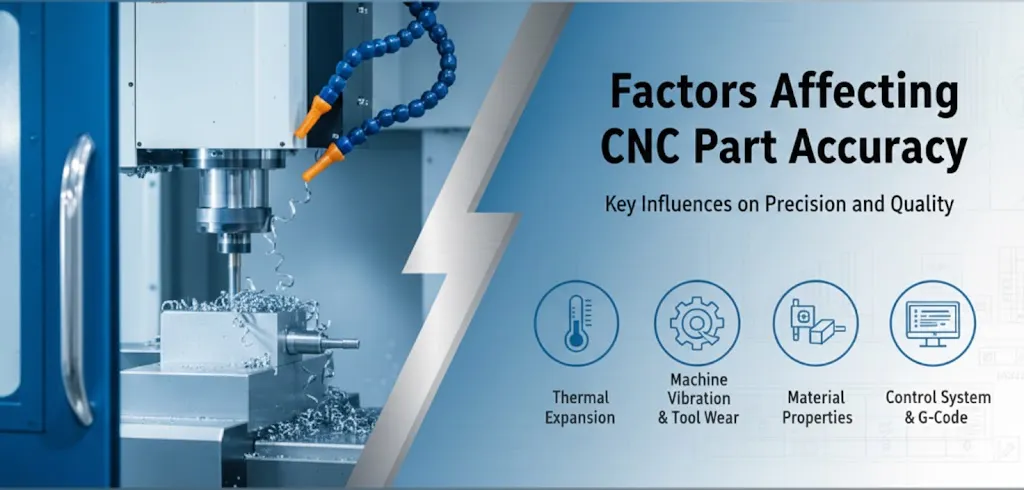
Machine and Tool Condition
Machine Rigidity
A CNC machine must be strong and steady for good accuracy. If the machine shakes, the parts can turn out wrong. Checking the machine often helps it stay on track.
Tool Wear
Sharp tools cut parts better and last longer. If tools get dull, they can make mistakes and rough surfaces. You should look at your tools often and change them when needed.
Checking the machine often keeps it working right.
Using sharp, good tools helps stop mistakes.
Keeping the shop at a steady temperature helps machines and materials.
Careful CNC programming helps the machine move the right way.
Material Properties
Thermal Expansion
Materials can get bigger or smaller if they get hot or cold. This can change the size of your parts. Keeping the shop at the same temperature helps keep parts the right size.
Hardness and Machinability
Hard materials can make tools wear out faster. Soft materials might bend or move when you cut them. Metals like steel are hard, but plastics are softer and can grow more with heat. Composites can act in different ways based on what they are made from.
Hardness changes how long tools last and how smooth the cut is.
Machinability means how easy it is to cut a material.
Metals, plastics, and composites all act in their own way.
Design Complexity
Thin Walls and Small Features
Thin walls can bend or break when you machine them. Small features need slower cutting to stop mistakes. These designs can make it harder to keep parts accurate.
Deep Cavities
Deep holes or pockets need long tools. Long tools can bend or shake, which makes it hard to get the right size. Deep holes also make it tough to get chips out and keep things cool.
Thin walls can bend or break.
Deep holes need extra care to stop mistakes.
Process Parameters
Cutting Speed and Feed Rate
Parameter | Effect on Accuracy |
|---|---|
Cutting Speed | Going too fast can make rough parts and wear tools. |
Feed Rate | Going too fast can make parts less smooth and less exact. |
Optimal Range | You should find a good balance for best results. |
Coolant and Temperature Effects
Coolant keeps tools and parts cool. This helps stop heat and keeps parts the right size.
Inspection Methods
CMM Inspection
Coordinate Measuring Machines (CMMs) measure parts in 3D very well. You use them for tricky parts that need to be very exact.
Calipers and Micrometers
You use calipers and micrometers to check sizes fast. They work best for simple shapes and outside sizes.
GD&T Verification Tools
Special tools help you check if your part meets geometric tolerances. These tools make sure your part fits and works as it should.
Inspection Method | Description | Strengths | Weaknesses |
|---|---|---|---|
Dimensional Inspection | Uses calipers and micrometers | Checks size quickly | Only for simple shapes |
Coordinate Measurement (CMM) | 3D measurement for complex parts | Very accurate, good for CAD comparison | Expensive, needs trained workers |
GD&T Verification Tools | Checks geometric tolerances | Ensures part fits and works as designed | May need special equipment |
Tip: Choose the right way to check your parts so they meet the needed tolerance.
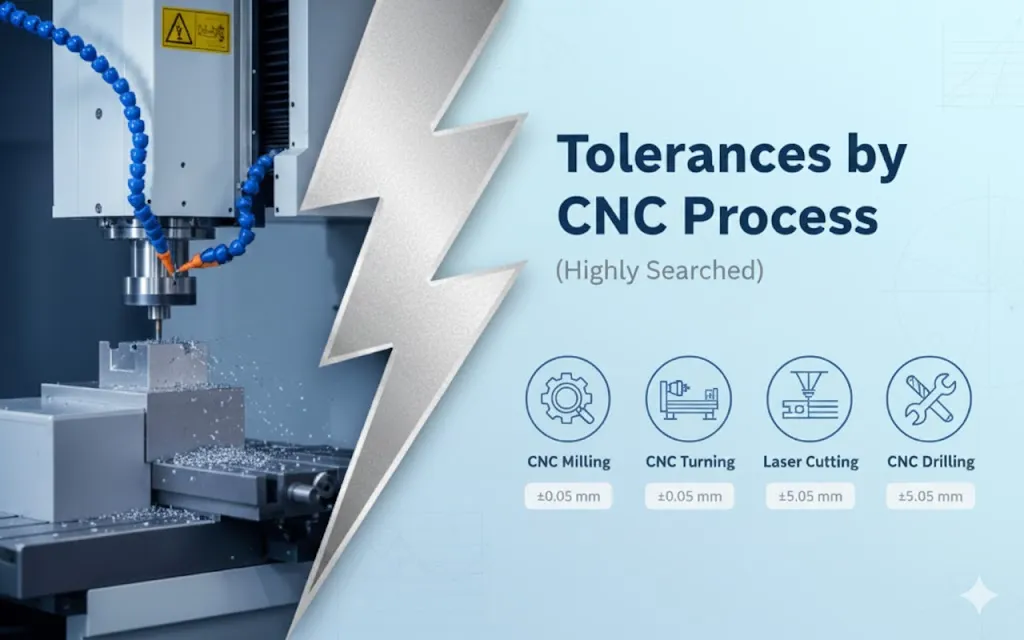
Tolerances by CNC Process (Highly Searched)
Milling (3-Axis and 5-Axis)
CNC milling makes many metal and plastic parts. Milling machines can make flat surfaces, slots, and holes very close to the right size. Most shops can keep parts within ±0.25 mm (±0.010"). Some better machines can do even better, down to ±0.01 mm. These tighter sizes are needed for things like airplanes and electronics. Milling is good for making housings, brackets, and covers.
CNC Process | General Tolerance | Tighter Tolerance | Applications |
|---|---|---|---|
3-Axis Milling | ±0.25 mm (±0.010") | ±0.01 mm | Metal housings, brackets, covers |
5-Axis Milling | ±0.25 mm (±0.010") | ±0.01 mm | Complex shapes, precision parts |
Tip: Pick 5-axis milling if your part has lots of angles or curves.
Turning
CNC turning shapes round parts like shafts and bushings. Most jobs can be made within ±0.25 mm (±0.010"). Some machines can do better, but it depends on the setup and what you are cutting. Turning works best for metals like aluminum, steel, and brass. You see turning used in cars, planes, and machines.
CNC Process | Standard Tolerance | Applications | Materials |
|---|---|---|---|
CNC Turning | ±0.25 mm (±0.010") | Shafts, bushings, connectors | Aluminum, steel, brass, stainless |
Swiss Machining
Swiss machining is best for small, tricky parts that need to be very exact. These machines can make parts as close as ±0.0005". Most Swiss machines keep outside diameters within ±0.015 mm and inside diameters within ±0.0075 mm. Swiss machining is used for medical implants, airplane fasteners, and tiny electronic connectors.
Swiss machining is needed for orthopedic and dental parts.
Airplane parts like fuel nozzles and sensor housings use Swiss machines.
Electronics need Swiss machining for pins and small housings.
Tolerance Type | Typical Range | Applications |
|---|---|---|
Dimensional | Sub-micron levels | Medical, aerospace, electronics |
Surface Finish | Ra 0.2 μm | Optics, electronics |
Positional | Few micrometers | Exact alignment parts |
Note: Swiss turning is best when you need very tight geometric or positional tolerances.
Grinding / Post-Processing
Grinding and other finishing steps help make parts very smooth and the right size. Grinding can make surfaces between 0.1 and 1.6 µm (4–63 µin) smooth. Polishing and lapping can make them even smoother, down to 0.01 µm. These steps are used for very exact parts in medicine, airplanes, and optics.
Process | Tolerance Range | Application Areas |
|---|---|---|
Grinding | 0.1 – 1.6 µm (4–63 µin) | High-precision parts |
Polishing | 0.05 – 0.4 µm (2–16 µin) | Medical, aerospace |
Lapping | 0.01 – 0.1 µm (0.4–4 µin) | Optical, sealing surfaces |
Callout: Use grinding or lapping if you need the smoothest finish or the tightest tolerance.
Choosing the Right CNC Machining Tolerance
Balancing Function, Cost, and Manufacturability
You want your parts to work well and not cost too much. You also want them to be easy to make. Here are some ways to help:
Talk to your manufacturing team early. They can help you find problems before you start making parts.
Use Design for Manufacturability and Design to Cost. These help you use tight tolerances only for important spots.
You can also:
Use functional tolerance zoning. Give tight tolerances to places that join together. Use looser tolerances for other spots.
Focus on the most important surfaces. Only use tight tolerances where parts must fit or move just right.
Many engineers ask for tighter tolerances than they really need. This can make parts cost more. You need better machines and more checks. Try to use tight tolerances only where they are needed most.
When to Specify High-Precision CNC Machining
Ask for high-precision machining when your part must fit perfectly or work in hard places. These jobs cost more because they need special machines and tools. The table below shows why costs go up:
Cost Factor | Description |
|---|---|
Increased Machining Time | You need to go slower and make more passes. |
More Precise Machinery | You need expensive and strong machines. |
Enhanced Process Control | You must watch every step very closely. |
Specialized Tooling | Small details need special and costly tools. |
Increased Inspection Requirements | You need better checks to make sure parts are right. |
Higher Potential for Scrap | More parts may not pass checks, so you waste more material. |
Use high-precision machining for airplane, medical, or electronics parts that need to fit just right.
Communicating Tolerances with Manufacturers
Engineering Drawings
Give clear drawings that show every size and tolerance. This helps the shop know what you want.
GD&T Notation
Use GD&T symbols to show how parts should fit and move. GD&T is a common way to talk about shape, position, and direction. This helps stop mistakes and makes sure parts work together.
Reference Standards and Notes
Explain why each tolerance is important for your part.
Use standard rules so everyone knows what you need.
Plan checks early so there are no surprises.
Know what the shop can do and match your needs to their skills.
Review your designs with machinists and update drawings if needed.
Tip: Talk to your manufacturer often. This helps you get the right part and avoid costly mistakes.
If you know about CNC machining tolerances, you can make better parts and save money. Tolerance helps you check that parts fit and work right. You do not waste money if you pick the right tolerance for each part.
Some jobs, like in aerospace and cars, need very exact tolerances so things do not break.
If you use tighter tolerances, it takes longer and costs more.
Talking with your manufacturer helps you choose the best tolerance for your project.
When you talk clearly, you get better parts and spend less.
FAQ
What does "tolerance" mean in CNC machining?
Tolerance shows how much a part’s size can change from the design. You use it to make sure your parts fit and work right. Tighter tolerance means less room for error.
How do you choose the right tolerance for your part?
You look at how the part will be used. Ask yourself:
Does the part need to fit with other parts?
Will it move or stay still?
Is cost important?
Tip: Talk to your machinist for advice.
Why do tighter tolerances cost more?
Tighter tolerances need better machines and more checks. You spend more time making and measuring each part. This raises the price.
Can you use the same tolerance for metals and plastics?
No, you cannot. Metals hold tighter tolerances than plastics. Plastics can change shape more during machining.
Material | Typical Tolerance |
|---|---|
Metal | ±0.1 mm |
Plastic | ±0.2 mm |
What happens if you pick a tolerance that is too tight?
You may pay more money and wait longer for your parts. You might not need that level of accuracy. Always match the tolerance to your real needs.